
If you are measuring more than one window, a Multi-Window Measurement Tracker can save a lot of time and confusion. Instead of writing measurements on scraps of paper or trying to remember which size belongs to which room, you can organize each window clearly by label, room, width, height, mount type, blind type, and notes.
Multi-window Measurement Tracker
Track multiple window measurements by room, label each window clearly, add notes, and copy a clean summary for quotes or orders.
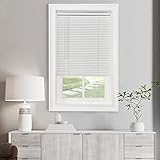
Cordless Light Filtering Mini Blinds for Indoor, 34 x 64 in, Pearl White
Cordless Light Filtering Mini Blind, 28 x 48 in, Pearl White

Window Blinds Cordless No Drill Cut to Size Clip On Stick On Self Adhesive Temporary Blinds Pleated Paper Blinds for Windows Doors Shades for Home Nursery Bedroom Kitchen Bathroom
This guide explains how a Multi-Window Measurement Tracker works, why it is useful when measuring several windows, how to organize window sizes by room, what details you should record for each opening, and how to avoid common measurement mistakes before ordering blinds, shades, or curtains. If you want to start browsing products after measuring, you can explore window blinds on Amazon, window shades, and curtains.
How the Multi-Window Measurement Tracker Works
A Multi-Window Measurement Tracker is designed to help you record and organize measurements for multiple windows in one place. Instead of only storing width and height, it also helps you label each window properly so you know exactly which size belongs to which opening.
The tracker usually lets you record details such as room name, window label, width, height, mount type, blind type, and special notes. This becomes especially useful when you are measuring several rooms or ordering different blind styles throughout the home.
- It helps you keep all window measurements organized in one place.
- It reduces mix-ups between rooms and similar-looking windows.
- It makes it easier to copy measurements into order forms or quote requests.
- It gives you a clear summary to review before buying.
Why a Multi-Window Tracker Is Useful
Measuring one window is simple enough. Measuring eight, ten, or fifteen windows is where confusion starts. A tracker helps you stay organized so you can confidently move from measuring to buying without second-guessing your notes.
This is especially important if your windows are close in size but not identical. Even a small difference can cause problems if the wrong measurement gets attached to the wrong room or product.
- It helps prevent ordering the wrong size blinds.
- It lets you measure room by room in a more organized way.
- It helps you track which windows need which blind style.
- It keeps notes about handles, obstructions, and mount preferences in one place.
What Information You Should Track for Each Window
The best window measurement records include more than just width and height. A clear label system makes a big difference when you are ordering several blinds or comparing products.
- Room name: Bedroom, living room, kitchen, bathroom, office, or nursery.
- Window label: Examples include Bedroom Left Window, Kitchen Sink Window, or Office Main Window.
- Width: Record the final width you want to use.
- Height: Record the final height you want to use.
- Mount type: Inside mount or outside mount.
- Blind type: Roller blind, Roman blind, Venetian blind, blackout blind, and so on.
- Notes: Handle position, recess depth, uneven frame, narrow clearance, or anything else important.
How to Organize Window Measurements by Room
One of the easiest ways to avoid mistakes is to measure and record each window room by room. That means finishing the bedroom before moving to the living room, then finishing the living room before going into the kitchen, and so on.
This approach makes it easier to stay focused and reduces the chance of mixing up one room’s measurements with another’s.
- Start in one room and finish all the windows there first.
- Use clear labels instead of vague names like Window 1 or Window 2.
- Write notes immediately after measuring instead of relying on memory later.
- Double-check each room before moving on.
How to Label Windows Clearly
Window labels should be simple and specific. Good labels make it obvious which opening the measurements belong to without needing extra explanation.
For example, instead of writing “Bedroom Window,” it is better to write “Bedroom Left Window” if there is more than one opening in that room. If the window is above the sink, writing “Kitchen Sink Window” is much more useful than just “Kitchen Window.”
- Bedroom Left Window
- Bedroom Right Window
- Kitchen Sink Window
- Living Room Front Window
- Office Desk Window
- Nursery Main Window
How to Measure Multiple Windows Properly
When measuring several windows, consistency matters just as much as accuracy. Use the same measuring method for every window so your notes stay reliable and easier to compare.
Use a steel measuring tape rather than a soft fabric tape, and write measurements down immediately. If you are ordering inside-mount blinds, remember that many people use the smallest width measured inside the recess. If you are ordering outside-mount blinds, remember to track the amount of overlap you want as well.
Useful tools to compare include a steel tape measure, a measurement notebook, and a laser measure.
- Measure width in more than one place if needed.
- Measure height carefully and record the final number you plan to use.
- Keep the same unit across the whole project.
- Make notes about any unusual frame, trim, or handle details.
Inside Mount vs Outside Mount Tracking
Your tracker should clearly show whether each window is an inside mount or outside mount project. This matters because the measurement method is different, and the final blind size may be different too.
Inside Mount
Inside mount blinds fit within the window recess. These are often chosen for a cleaner built-in look. If you are tracking inside mount measurements, it helps to note the smallest width and height used and whether the recess depth is sufficient.
Outside Mount
Outside mount blinds sit outside the recess, usually on the wall or trim. These usually need overlap beyond the opening, so it is helpful to note whether the numbers recorded are raw opening measurements or final desired blind size.
- Always mark mount type clearly in the tracker.
- Do not mix inside-mount and outside-mount notes without labeling them.
- Add notes if overlap or recess depth affects the final product size.
Tracking Different Blind Types Across the Home
Many homes do not use the same blind type in every room. A bedroom may need blackout blinds, a bathroom may need faux wood blinds, and a patio door may need a vertical blind. That is why it helps to track the intended blind type beside each set of measurements.
Roller Blinds: Roller blinds are a practical choice for many rooms and are commonly used in bedrooms, kitchens, offices, and living rooms. If you want to compare options, browse roller window blinds.
Roman Blinds: Roman blinds are often used where a softer and more decorative look matters, especially in bedrooms and living rooms. You can compare Roman shades.
Venetian Blinds: Venetian blinds are often useful where adjustable light control is important, such as offices and kitchens. You can browse Venetian blinds.
Vertical Blinds: Vertical blinds are often the practical choice for patio doors and wider openings. If you are measuring a sliding door or large glass span, compare vertical blinds.
Blackout Blinds: Blackout blinds are especially useful in bedrooms, nurseries, and media-friendly spaces where strong light blocking matters. You can compare blackout blinds.
Faux Wood Blinds: Faux wood blinds are often recommended for bathrooms, kitchens, and family spaces because they can be practical and better suited to moisture than softer blind styles. Browse faux wood blinds.
Why Notes Matter in a Measurement Tracker
Notes are often the difference between a smooth order and a frustrating mistake. The size alone does not always tell the full story. A window handle, shallow recess, uneven frame, or unusual trim can affect which blind type will work best.
This is why a tracker should always include space for notes. Even one short sentence can help you remember something important later.
- Handle protrudes on right side
- Use smallest inside recess measurement
- Patio door opens toward left
- Shallow recess, outside mount may be better
- Window above sink, needs easy-clean blind
How a Measurement Tracker Helps Before Ordering
Before ordering blinds, shades, or curtains, a tracker gives you a final place to review everything. This is especially useful if you are buying several products at once or asking for a quote from a supplier.
Instead of going back through scattered notes, you can review one organized list with all the details already grouped together.
- It makes quote requests faster and clearer.
- It helps compare rooms at a glance.
- It reduces the chance of ordering the wrong product for the wrong window.
- It creates a clean summary you can copy into an order form or email.
Common Mistakes When Measuring Multiple Windows
The more windows you measure, the easier it is to make a small mistake. A tracker helps reduce those mistakes, but it still helps to know what to watch for.
- Using vague labels like Window 1 or Window 2.
- Forgetting which room a measurement belongs to.
- Mixing inside-mount and outside-mount numbers without labeling them clearly.
- Using different units for different rooms.
- Failing to write down important notes about handles, depth, or trim.
- Assuming similar windows are exactly the same size.
How to Use the Multi-Window Measurement Tracker Properly
To get the best results, use the tracker as you measure rather than trying to transfer notes later. That keeps the process cleaner and reduces the chance of forgetting important details.
- Measure one room at a time.
- Label each window clearly as soon as it is measured.
- Record mount type before moving on.
- Add notes while the window is in front of you.
- Review the tracker before ordering anything.
Multi-Window Measurement Tracker FAQ
Why should I use a Multi-Window Measurement Tracker?
It helps you organize measurements for several windows in one place, reducing mix-ups and making it easier to order blinds, shades, or curtains correctly.
What details should I record for each window?
You should record the room name, window label, width, height, mount type, intended blind type, and any notes about handles, depth, or special installation details.
Should I measure each window separately even if they look the same?
Yes. Windows that look identical can still vary slightly in size, and even a small difference can matter when ordering made-to-measure blinds.
Can I use the tracker for curtains and shades too?
Yes. Although it is especially helpful for blinds, the same tracking system works for shades, curtains, and other window treatments as well.
Should I track inside mount and outside mount separately?
Yes. Mount type should always be clearly noted because the measurement method and final product size can differ.
Final Thoughts
A Multi-Window Measurement Tracker is one of the most useful tools you can use before ordering window treatments for several rooms. It helps you stay organized, label each window clearly, keep important notes in one place, and reduce the risk of expensive ordering mistakes. Whether you are buying blinds, shades, or curtains, having one clean measurement record makes the whole process much easier.
Cordless Light Filtering Mini Blinds for Indoor, 34 x 64 in, Pearl White
Cordless Light Filtering Mini Blind, 28 x 48 in, Pearl White